PRODUCT INFORMATION
Product Overview
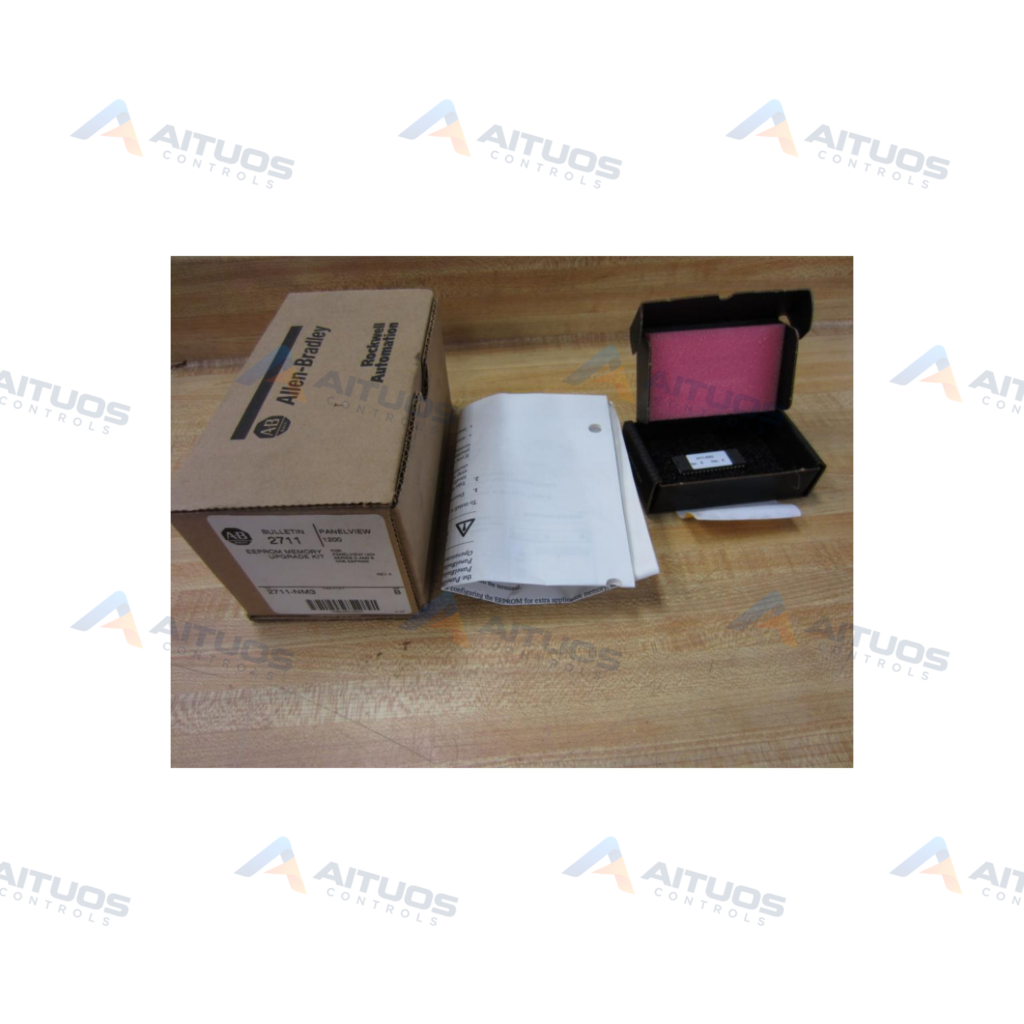
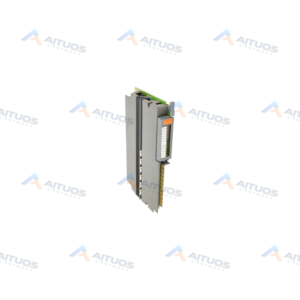
The Allen-Bradley 2711-NM3 is a PanelView EEPROM memory module. It provides non-volatile storage for PanelView 1200 operator terminals. This single EEPROM installs directly on the internal logic board. It adds 64K of memory for backup or extra application storage. Configuration files automatically copy to the EEPROM during download operations.
The module supports Series D and Series E terminals. It also operates in Series F terminals as a backup PROM. Hardware installation requires mounting the chip into socket U2. Jumpers JP1 and JP2 must be set to the EPROM positions. Static electricity precautions are required during handling.
TECHNICAL DATA
Technical Specifications
| Parameter | Specification |
|---|
| Device type | Optional user EEPROM |
|---|
| Compatible terminal | PanelView 1200 |
|---|
| Supported hardware series | Series D and E; Series F also accepts NM3 as a 64K backup PROM |
|---|
| Additional memory | 64K; 2711-NM4 is the separate 128K kit |
|---|
| Operating modes | Application backup or additional application memory |
|---|
| Configuration software | PanelBuilder Development Software |
|---|
| Backup write behavior | Application is copied to EEPROM during terminal download when configured for backup |
|---|
| Installation socket | U2, labelled USER MEMORY |
|---|
| Jumper setting | JP1 and JP2 on the right-most EPROM/EEPROM pins |
|---|
| Handling | Electrostatic-discharge sensitive |
|---|
| Validation | User EPROM/EEPROM Power-up Test can be enabled in Configure mode |
|---|
TECHNICAL INFORMATION
Features
- Provides 64K of non-volatile memory.
- Functions as application backup or additional application memory.
- Automatically stores application files during project download.
- Installs into on-board socket U2 on the logic drawer.
- Supports verification through the user memory power-up test.
TECHNICAL INFORMATION
Applications
- Application file backup in PanelView 1200 operator terminals.
- Application memory expansion from 64K to 128K bytes.
- Application backup memory retention in Series F terminals.
TECHNICAL INFORMATION
Connections / Interfaces
- Installs into logic board socket U2 labeled USER MEMORY.
- Requires jumper selection on headers JP1 and JP2.
TECHNICAL INFORMATION
Installation Guidelines
- Disconnect all power, Remote I/O, and RS-232 cables first.
- Use an anti-static wrist strap or grounded mat during handling.
- Touch a grounded metal surface frequently to discharge static charge.
- Remove two rear screws to lower the logic board tray.
- Insert the EEPROM chip carefully into socket U2.
- Set jumpers JP1 and JP2 to the right-most pins.
TECHNICAL INFORMATION
Configuration Guidelines
- Select operating mode in PanelBuilder Development Software.
- Configure the device for backup or extra memory.
- Download the project file to load data to the chip.
- Enable the power-up test in Configure mode to verify operation.
TECHNICAL INFORMATION
Compatibility
- Compatible with PanelView 1200 Series D and Series E terminals.
- Compatible with Series F terminals as a 64K backup PROM.
- Differs from 2711-NM2 dual-chip kits for Series C terminals.
- Differs from 2711-NM4 modules for 128K backup on Series F.
TECHNICAL INFORMATION
Lifecycle / Replacement Information
- Check the terminal hardware series letter prior to installation.
- Series D and E terminals use 2711-NM3 for expansion or backup.
- Series F terminals accept 2711-NM3 for 64K backup.
TECHNICAL RESOURCES
Documentation
COMPATIBILITY
Compatibility & Replacement
COMPATIBLE MODELSCompatible with PanelView 1200 Series D and Series E terminals. Compatible with Series F terminals as a 64K backup PROM. Differs from 2711-NM2 dual-chip kits for Series C terminals. Differs from 2711-NM4 modules for 128K backup on Series F.
Verify compatibility against the exact Part Number, revision and manufacturer documentation before ordering.
PART VERIFICATION
Before You Order
Industrial automation parts can share similar model names, suffixes and revisions. Confirm the complete manufacturer Part Number before purchase.
01Check Part NumberMatch the complete ordering code on the existing unit.
02Confirm RevisionCheck suffix, hardware or firmware when applicable.
03Send a Label PhotoWe can review a clear label photo when identification is uncertain.
ORDERING PROCESS
From RFQ to Dispatch
1Submit Part Number2Verify Product Identity3Confirm Stock & Condition4Issue Quotation5Dispatch & Tracking
PRODUCT FAQ
Frequently Asked Questions
What is the primary function of the 2711-NM3?
The 2711-NM3 provides 64K EEPROM storage for application backup or extra memory.
Which PanelView terminals support the 2711-NM3 module?
It supports PanelView 1200 Series D, Series E, and Series F terminals.
Where is the 2711-NM3 installed inside the terminal?
The chip mounts in socket U2 on the logic board tray.
What jumper settings are required for the 2711-NM3?
Set jumpers JP1 and JP2 to the right-most pins labeled EPROM/EEPROM.