PRODUCT INFORMATION
Product Overview
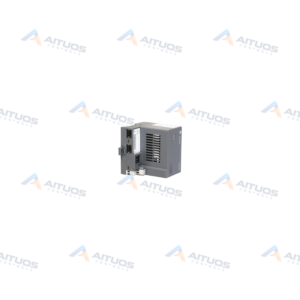
The Allen-Bradley MVI94-MCM is a Modbus Master/Slave Network Interface Module for the FLEX I/O series. It allows FLEX processors to communicate with Modbus protocol compatible devices. The module installs into any available slot on a 1794 backplane. It draws 20 mA of backplane current at 5 VDC. An external power supply provides 12 to 24 VDC at 340 to 170 mA. Operational shock absorption reaches 30 g, and non-operational shock reaches 50 g.
The unit supports storage and transfer of up to 5000 registers with the processor data files. Its application port emulates either a Modbus master or slave device. Supported functions include Modbus codes 1, 2, 3, 4, 5, 6, 15, and 16. It also supports the Enron Modbus version for floating point data transactions. Configuration and operation are dictated by ladder logic user programming and serial terminal software.
TECHNICAL DATA
Technical Specifications
| Parameter | Specification |
|---|
| Weight | 3.00 lbs (1.36 kg) |
|---|
| External Power Supply | 12 to 24 VDC; 340 to 170 mA |
|---|
| Compatible Series | 1794 Flex I/O system |
|---|
| Module Type | Modbus communication module |
|---|
| Slot Width | Single slot |
|---|
| Module location | Any slot |
|---|
| Supported function codes | 1, 2, 3, 4, 5, 6, 15 and 16 |
|---|
| Embedded Ports | One (1) Configuration Port; One (1) Application port |
|---|
| LED indicators | Backplane transfer status Application status Serial activity and error LED status |
|---|
| Backplane Current | 20 mA @ 5 V |
|---|
| Operation | Dictated by user program |
|---|
| Command capacity | 100 commands per port |
|---|
| Enron version | Supported |
|---|
| Memory usage | User definable |
|---|
| Rockwell Compatible Series | Flex IO |
|---|
| Slot | 1 |
|---|
| Registers | 5000 max. |
|---|
| Commands per Port | 100 max. |
|---|
| Shock | 30g Operational |
|---|
| Backplane Current Load | 20 mA @ 5V |
|---|
TECHNICAL INFORMATION
Features
- Supports storage and transfer of up to 5000 internal registers.
- Provides one mini-DIN RS-232 serial configuration port with hardware handshaking.
- Supplies one jumper-selectable RS-232, RS-422, or RS-485 application serial port.
- Features 500 V optical isolation between the application port and the backplane.
- Supports up to 100 user-defined commands per port.
- Executes Modbus function codes 1, 2, 3, 4, 5, 6, 15, and 16.
- Supports Enron Modbus version for floating point data handling.
- Displays backplane transfer, application status, and serial error states via LEDs.
TECHNICAL INFORMATION
Applications
- Interfacing 1794 FLEX I/O systems with Modbus protocol compatible devices.
- Data exchange between FLEX I/O processors and Modicon controllers.
- Integrating third-party Modbus master or slave equipment into serial networks.
TECHNICAL INFORMATION
Connections / Interfaces
- Port PRT1 is a mini-DIN RS-232 configuration port supporting hardware handshaking.
- Port PRT2 is a mini-DIN application port supporting RS-232, RS-422, and RS-485 standards.
- Port PRT2 provides 500 V optical isolation from the FlexBus backplane.
TECHNICAL INFORMATION
Installation Guidelines
- Mount the single-slot module into any available slot on a 1794 backplane.
- Select the required serial electrical standard on port PRT2 using jumpers before installation.
- Connect an external 12 to 24 VDC power supply to the module terminals.
TECHNICAL INFORMATION
Configuration Guidelines
- Connect a computer running HyperTerminal to the PRT1 serial port.
- Define memory registers and serial parameters using ladder programming.
- Configure up to 100 polling commands per port through the user program.
TECHNICAL INFORMATION
Compatibility
- Compatible with the 1794 FLEX I/O product line.
- Communicates with Modicon programmable logic controllers.
- Interoperates with general Modbus protocol enabled devices.
COMPATIBILITY
Compatibility & Replacement
COMPATIBLE MODELSCompatible with the 1794 FLEX I/O product line. Communicates with Modicon programmable logic controllers. Interoperates with general Modbus protocol enabled devices.
Verify compatibility against the exact Part Number, revision and manufacturer documentation before ordering.
PART VERIFICATION
Before You Order
Industrial automation parts can share similar model names, suffixes and revisions. Confirm the complete manufacturer Part Number before purchase.
01Check Part NumberMatch the complete ordering code on the existing unit.
02Confirm RevisionCheck suffix, hardware or firmware when applicable.
03Send a Label PhotoWe can review a clear label photo when identification is uncertain.
ORDERING PROCESS
From RFQ to Dispatch
1Submit Part Number2Verify Product Identity3Confirm Stock & Condition4Issue Quotation5Dispatch & Tracking
PRODUCT FAQ
Frequently Asked Questions
What is the primary function of the MVI94-MCM?
It allows FLEX I/O processors to interface with Modbus protocol compatible devices.
What serial electrical standards does the application port support?
Application port PRT2 supports jumper-selectable RS-232, RS-422, and RS-485 with 500 V optical isolation.
What are the external power supply requirements?
The module requires an external power supply rating of 12 to 24 VDC at 340 to 170 mA.
How many registers can the module transfer?
The module supports storage and transfer of up to 5000 registers to and from processor data files.