PRODUCT INFORMATION
Product Overview
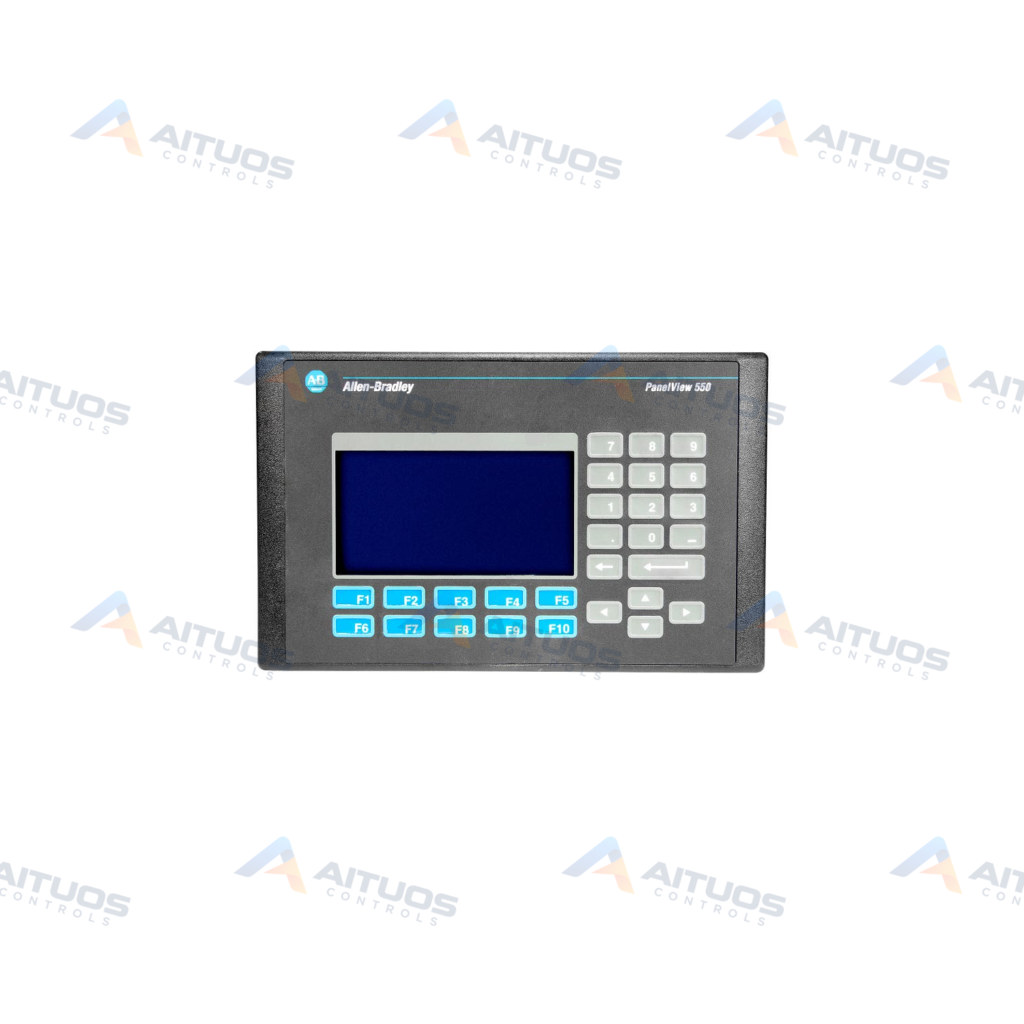
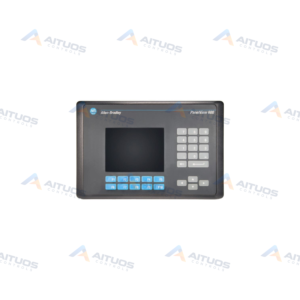
The Allen-Bradley 2711-B5A9L1 is a PanelView 550 human-machine interface terminal. It features a 5.5-inch monochrome blue mode LCD screen for viewing graphical process data. The terminal accepts operator input through both a built-in keypad and a touchscreen. Operating power is provided by a 24V DC electrical source. The unit includes an internal memory capacity of 170 KB for application runtime.
Communication is handled through an RS-232 port utilizing the DH-485 protocol. A second RS-232 serial port allows connection to an external printer. Screen visibility is maintained by a replaceable internal backlight under part number 2711-NL1. Applications are configured and maintained using Rockwell Automation PanelBuilder32 software. The terminal mounts into indoor enclosures rated NEMA Type 12, 13, or 4X.
TECHNICAL DATA
Technical Specifications
| Parameter | Specification |
|---|
| Category | Panelviews |
|---|
| Product Line | Panelview 550 |
|---|
| Weight | 3.06 lbs (1.39 kg) |
|---|
| Display Size | 5.5 in. |
|---|
| Display Color | Monochrome LCD blue mode |
|---|
| Input Type | Keypad and Touchscreen |
|---|
| Communication | RS-232 (DH-485) Communication and RS-232 Printer Port |
|---|
| Input Power | 24V DC |
|---|
| Memory | 170 KB application runtime |
|---|
| Backlight | 2711-NL1 |
|---|
| Communication Cable | 2711-NC13 |
|---|
| Product Lifecycle Status* | Discontinued/Obsolete |
|---|
TECHNICAL INFORMATION
Features
- Features a 5.5-inch monochrome blue mode LCD display.
- Supports dual input via a physical keypad and a touchscreen.
- Operates on 24V DC input power.
- Provides an RS-232 communication port supporting the DH-485 protocol.
- Includes an independent RS-232 serial printer port.
- Contains 170 KB of application runtime memory.
- Uses a field-replaceable internal backlight assembly, catalog number 2711-NL1.
- Configured with Rockwell Automation PanelBuilder32 development software.
TECHNICAL INFORMATION
Applications
- Operator monitoring and machine control in factory automation systems.
- DH-485 network communication interfaces over RS-232 serial connections.
- Production event logging and alarm printouts via serial printer connection.
TECHNICAL INFORMATION
Connections / Interfaces
- One RS-232 communication port supporting DH-485 protocol.
- One RS-232 serial port dedicated to external printer connections.
- Power input connections for 24V DC electrical service.
TECHNICAL INFORMATION
Installation Guidelines
- Mount the terminal into an indoor enclosure rated NEMA Type 12, 13, or 4X.
- Confirm the direct-current power source provides 24V DC before connection.
- Route serial communication cables away from sources of electrical noise.
TECHNICAL INFORMATION
Configuration Guidelines
- Create and edit project displays using PanelBuilder32 software.
- Set RS-232 serial communication parameters to match the DH-485 network node.
- Verify that compiled runtime files remain within the 170 KB memory limit.
TECHNICAL INFORMATION
Compatibility
- Industrial controllers communicating via DH-485 protocol over RS-232.
- Communication cabling matching catalog part number 2711-NC13.
- Replacement display illumination lamps using catalog number 2711-NL1.
TECHNICAL INFORMATION
Lifecycle / Replacement Information
- The 2711-B5A9L1 operator terminal is categorized as discontinued and obsolete.
- Worn display illumination can be serviced using the 2711-NL1 replacement backlight.
TECHNICAL INFORMATION
Compliance and Certifications
- CE Marked
- UL Listed
- CUL Listed
- Class I Zone 2
- Class II Division 2
- Class III Division 1
TECHNICAL RESOURCES
Documentation
COMPATIBILITY
Compatibility & Replacement
COMPATIBLE MODELSIndustrial controllers communicating via DH-485 protocol over RS-232. Communication cabling matching catalog part number 2711-NC13. Replacement display illumination lamps using catalog number 2711-NL1.
Verify compatibility against the exact Part Number, revision and manufacturer documentation before ordering.
PART VERIFICATION
Before You Order
Industrial automation parts can share similar model names, suffixes and revisions. Confirm the complete manufacturer Part Number before purchase.
01Check Part NumberMatch the complete ordering code on the existing unit.
02Confirm RevisionCheck suffix, hardware or firmware when applicable.
03Send a Label PhotoWe can review a clear label photo when identification is uncertain.
ORDERING PROCESS
From RFQ to Dispatch
1Submit Part Number2Verify Product Identity3Confirm Stock & Condition4Issue Quotation5Dispatch & Tracking
PRODUCT FAQ
Frequently Asked Questions
What operator input methods are featured on the 2711-B5A9L1?
The terminal features both an integrated physical keypad and a touchscreen for data input.
What serial communication ports are built into the terminal?
The unit includes an RS-232 DH-485 port and an independent RS-232 printer port.
Which software package is used to configure the 2711-B5A9L1?
Terminal application projects are designed and configured using PanelBuilder32 software.
Is the internal display backlight on the 2711-B5A9L1 replaceable?
Yes, the internal backlight can be replaced using catalog number 2711-NL1.