PRODUCT INFORMATION
Product Overview
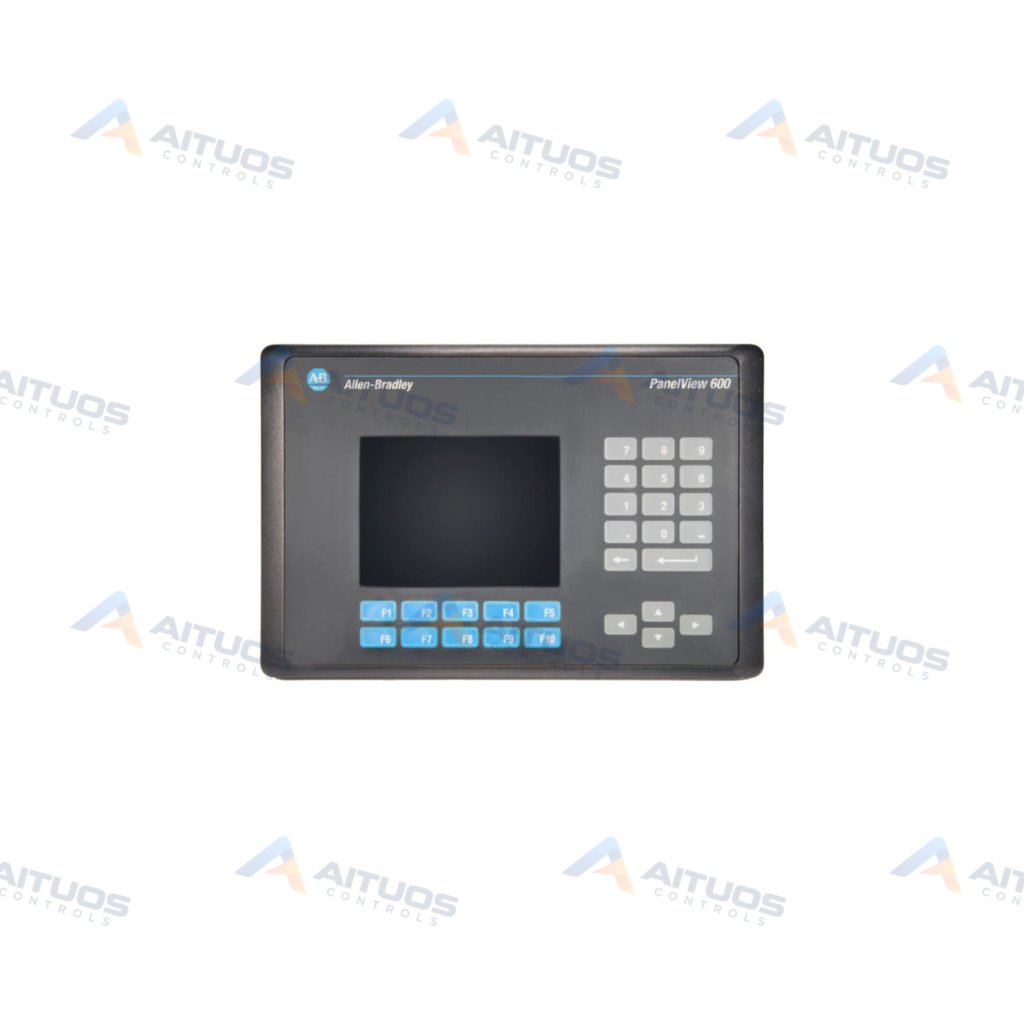
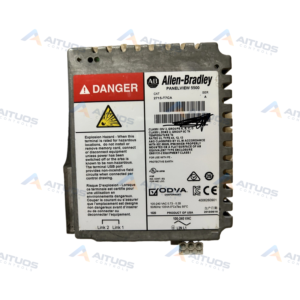
The Allen-Bradley 2711-K6C9L1 is a PanelView 600 Color Keypad terminal in the PanelView series. This operator terminal incorporates a 5-inch color display screen. Operator inputs are entered using the integrated keypad. The unit operates on an input voltage range of 18 to 32 VDC. Power consumption is rated at 1.9 Amps at 24 VDC.
The terminal provides 240 KB of internal application memory. Communication interfaces include RS-232 for DH-485 protocol and a dedicated RS-232 printer port. The terminal supports the 2711-NC14 communication cable. Field maintenance is supported by the 2711-NL3 replacement backlight. PanelBuilder 32 software supports configuration across firmware versions 1.00 to 4.48. Operating temperatures range from 0 to 50 degrees Celsius.
TECHNICAL DATA
Technical Specifications
| Parameter | Specification |
|---|
| Category | Panelviews |
|---|
| Product Line | Panelview 600 |
|---|
| Weight | 32.00 lbs (14.51 kg) |
|---|
| Display Size | 5 in. |
|---|
| Display Color | Color |
|---|
| Input Type | Keypad |
|---|
| Communication | RS-232 (DH-485) and RS-232 Printer |
|---|
| Input Power | 18-32 VDC |
|---|
| Memory | 240 KB |
|---|
| Backlight | 2711-NL3 |
|---|
| Communication Cable | 2711-NC14 |
|---|
| Product Lifecycle Status* | Discontinued/Obsolete |
|---|
TECHNICAL INFORMATION
Features
- 5-inch color display provides visual process graphics.
- Keypad interface handles manual data input.
- Dual RS-232 ports support DH-485 communication and serial printer connection.
- Internal memory capacity provides 240 KB for terminal applications.
- Field-replaceable backlight uses catalog number 2711-NL3.
- Operates on DC input power between 18 and 32 VDC.
TECHNICAL INFORMATION
Connections / Interfaces
- One RS-232 communication port supports DH-485 protocol.
- One RS-232 port supports connection to an external serial printer.
- DC power input terminals accept 18 to 32 VDC.
- Serial communication links utilize the 2711-NC14 cable.
TECHNICAL INFORMATION
Installation Guidelines
- Mount the unit in an environment free from direct ultraviolet exposure and adverse weather conditions.
- Maintain ambient operating temperatures between 0 and 50 degrees Celsius.
- Ensure relative humidity remains between 5% and 95% non-condensing.
- Operate the terminal at altitudes up to 2000 meters above sea level.
TECHNICAL INFORMATION
Configuration Guidelines
- Configure graphic displays and terminal parameters using PanelBuilder 32 software.
- Supported runtime firmware versions range from 1.00 through 4.48.
TECHNICAL INFORMATION
Compatibility
- Configured using PanelBuilder 32 software across supported revisions.
- Supports DH-485 networks using communication cable catalog number 2711-NC14.
- Connects to compatible serial printers via the secondary RS-232 port.
TECHNICAL INFORMATION
Lifecycle / Replacement Information
- The 2711-K6C9L1 terminal is categorized as discontinued and obsolete by the manufacturer.
- Hardware revisions span Series A through Series L across its production lifecycle.
- Routine display servicing uses replacement backlight catalog number 2711-NL3.
TECHNICAL RESOURCES
Documentation
COMPATIBILITY
Compatibility & Replacement
COMPATIBLE MODELSConfigured using PanelBuilder 32 software across supported revisions. Supports DH-485 networks using communication cable catalog number 2711-NC14. Connects to compatible serial printers via the secondary RS-232 port.
Verify compatibility against the exact Part Number, revision and manufacturer documentation before ordering.
PART VERIFICATION
Before You Order
Industrial automation parts can share similar model names, suffixes and revisions. Confirm the complete manufacturer Part Number before purchase.
01Check Part NumberMatch the complete ordering code on the existing unit.
02Confirm RevisionCheck suffix, hardware or firmware when applicable.
03Send a Label PhotoWe can review a clear label photo when identification is uncertain.
ORDERING PROCESS
From RFQ to Dispatch
1Submit Part Number2Verify Product Identity3Confirm Stock & Condition4Issue Quotation5Dispatch & Tracking
PRODUCT FAQ
Frequently Asked Questions
What input power does the Allen-Bradley 2711-K6C9L1 require?
The terminal operates on 18 to 32 VDC. Current consumption is 1.9 Amps at 24 VDC.
Which communication ports are available on the 2711-K6C9L1?
The unit provides two RS-232 ports. One supports DH-485 protocol, and the other supports an external printer.
Which configuration software is required for the 2711-K6C9L1?
The terminal is configured with PanelBuilder 32 software. Supported firmware ranges from 1.00 to 4.48.
What replacement backlight is compatible with the 2711-K6C9L1 terminal?
The terminal uses the Allen-Bradley 2711-NL3 replacement backlight.