PRODUCT INFORMATION
Product Overview
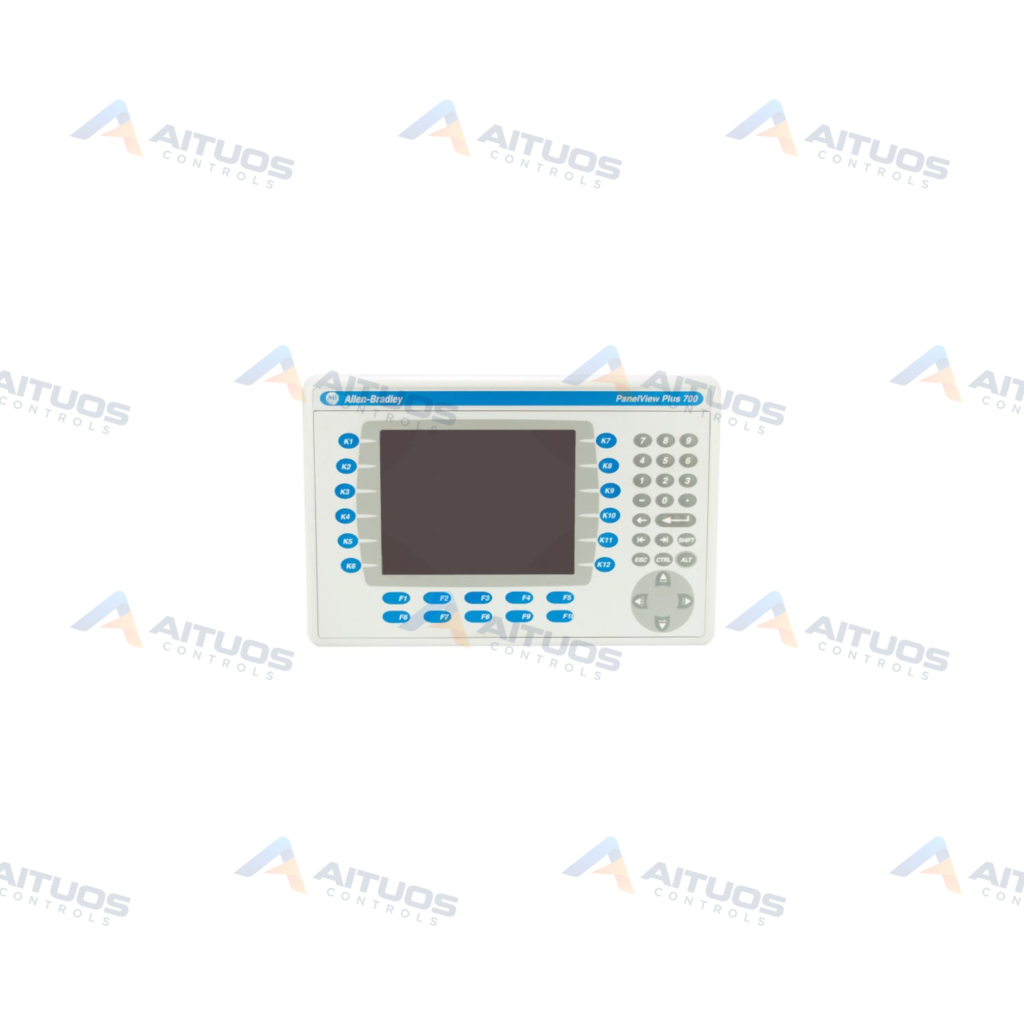
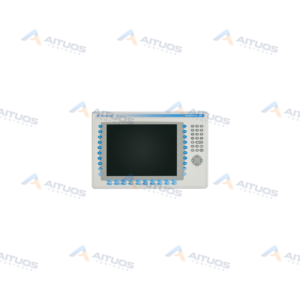
The Allen-Bradley 2711P-B7C15A1 is a PanelView Plus 700 Key/Touch Screen graphics terminal in the PanelView family. This operator interface displays application status information graphically and allows process monitoring. It incorporates a 6.5-inch flat-panel color display screen. The display provides a minimum resolution of 640 x 480 pixels and supports 18-bit graphics. Operator input utilizes twenty-two function keys alongside an integrated touchscreen.
The terminal operates on an alternating current power input ranging from 85 to 264 Volts AC. Internal hardware includes 64 MB of RAM for executing operator applications. An integrated ControlNet module provides network communication with compatible industrial controllers. External peripheral support enables connections to an external mouse, keyboard, or printer. The unit runs FactoryTalk View Machine Edition software and supports panel mounting in NEMA, UL, or IP enclosures.
TECHNICAL DATA
Technical Specifications
| Parameter | Specification |
|---|
| Category | Panelviews |
|---|
| Product Line | Panelview Plus 700 |
|---|
| Weight | 32.00 lbs (14.51 kg) |
|---|
| Display Size | 6.5 in. |
|---|
| Display Color | Color |
|---|
| Input Type | Keypad/Touchscreen |
|---|
| Communication | ControlNet |
|---|
| Input Power | 85 to 264 Volts AC |
|---|
| Memory | 64 MB |
|---|
| Backlight | 2711P-RL7C |
|---|
| Communication Cable | 1747-KFC15A |
|---|
| Product Lifecycle Status* | Discontinued/Obsolete |
|---|
TECHNICAL INFORMATION
Features
- Dual operator input using twenty-two function keys and an integrated touchscreen.
- A 6.5-inch flat-panel color display with 640 x 480 resolution and 18-bit graphics.
- Integrated ControlNet communication module for industrial networking.
- AC input power supply operating between 85 and 264 Volts AC.
- Internal system memory capacity of 64 MB RAM.
- External peripheral connectivity for a mouse, keyboard, and printer.
- Built-in PDF viewer for direct document display on screen.
- Data management capabilities using CSV files and vector-based graphics.
TECHNICAL INFORMATION
Applications
- Industrial operator control and process visualization across ControlNet networks.
- Graphical status display and alarm monitoring for automated machinery.
- Direct operator entry and recipe data management via CSV file utilities.
TECHNICAL INFORMATION
Connections / Interfaces
- Integrated ControlNet module provides primary industrial network communication.
- Compatible communication cabling uses the 1747-KFC15A cable assembly.
- Peripheral interface ports accommodate external connections to a printer, mouse, or keyboard.
TECHNICAL INFORMATION
Installation Guidelines
- Mount the terminal directly into NEMA, UL, or IP-rated industrial enclosures.
- Verify alternating-current line power operates within the specified 85 to 264 VAC range.
TECHNICAL INFORMATION
Configuration Guidelines
- Configure and deploy runtime projects using FactoryTalk View Machine Edition software.
- The unit supports desktop access when configured as an open system.
- Manage user access privileges and data storage using the built-in Login feature.
- Create configuration backups to restore application files during system maintenance.
TECHNICAL INFORMATION
Compatibility
- Connects over ControlNet to compatible industrial control systems.
- Uses the 2711P-RL7C replacement backlight component.
TECHNICAL INFORMATION
Lifecycle / Replacement Information
- Rockwell Automation lists the 2711P-B7C15A1 terminal as discontinued and obsolete.
- The terminal shares core technical specifications with 2711P-B7C4A8 PanelView Plus 6 terminals.
TECHNICAL RESOURCES
Documentation
COMPATIBILITY
Compatibility & Replacement
COMPATIBLE MODELSConnects over ControlNet to compatible industrial control systems. Uses the 2711P-RL7C replacement backlight component.
Verify compatibility against the exact Part Number, revision and manufacturer documentation before ordering.
PART VERIFICATION
Before You Order
Industrial automation parts can share similar model names, suffixes and revisions. Confirm the complete manufacturer Part Number before purchase.
01Check Part NumberMatch the complete ordering code on the existing unit.
02Confirm RevisionCheck suffix, hardware or firmware when applicable.
03Send a Label PhotoWe can review a clear label photo when identification is uncertain.
ORDERING PROCESS
From RFQ to Dispatch
1Submit Part Number2Verify Product Identity3Confirm Stock & Condition4Issue Quotation5Dispatch & Tracking
PRODUCT FAQ
Frequently Asked Questions
What operator input options are available on the 2711P-B7C15A1?
The unit provides dual input through an integrated touchscreen and twenty-two function keys.
What communication interface is included on this PanelView terminal?
The terminal includes an integrated ControlNet module for network communication.
What power supply voltage is required for the 2711P-B7C15A1?
The terminal requires alternating-current power ranging from 85 to 264 Volts AC.
How is commercial pricing handled for the 2711P-B7C15A1?
All pricing figures are indicative market reference pricing only and are not a final quotation.