PRODUCT INFORMATION
Product Overview
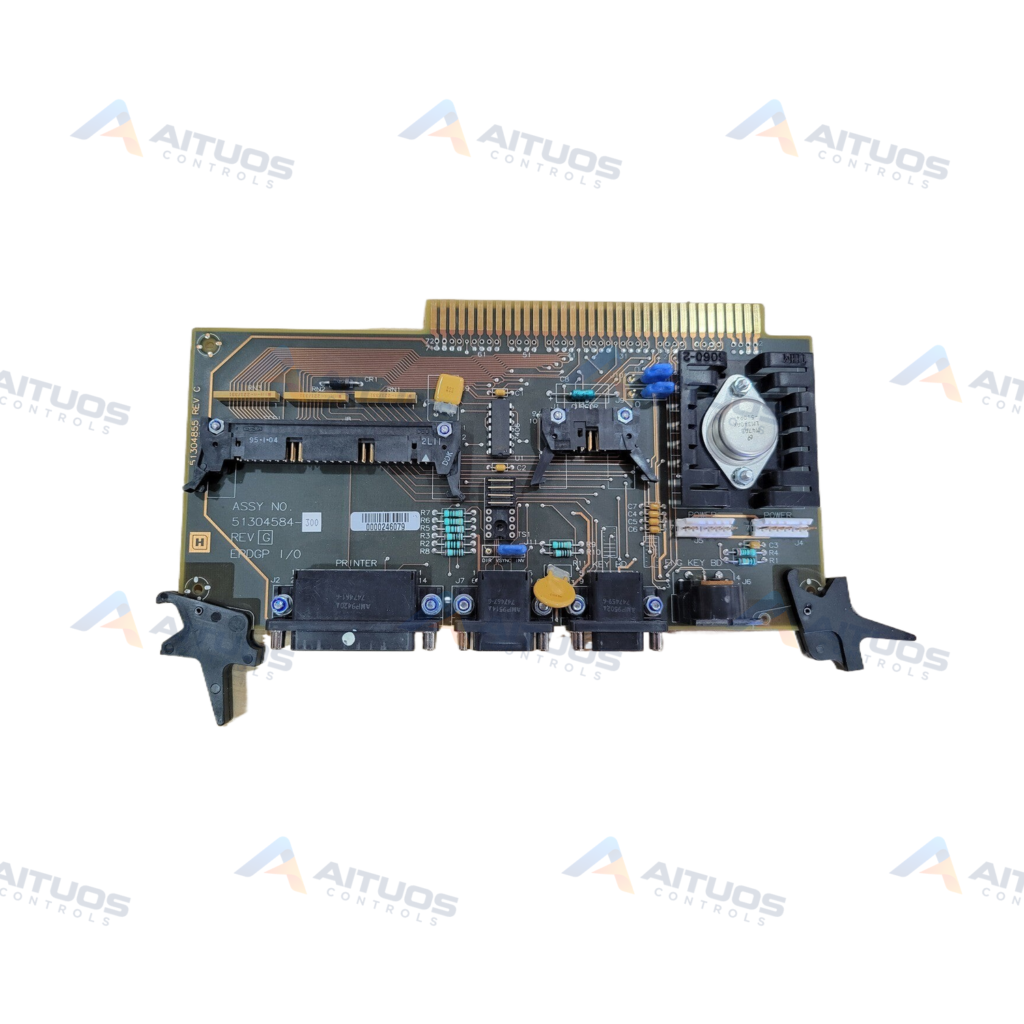
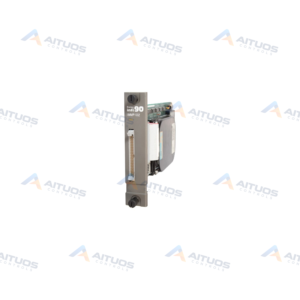
The Honeywell 51304584-300 is a Z-Console Input Output Board for TDC 3000 operator stations. It operates as an EPDGP input and output assembly within Universal Station architectures. The board supports ergonomic furniture packages equipped with 21-inch FST monitors. System architecture designates installation directly into chassis module slot 2.
This assembly links operator station peripherals to the central microcomputer chassis. It provides dedicated ports for CRT video, SCSI cartridge tape drives, and printers. Dedicated interface channels manage engineer keyboards and pointing devices. Onboard jumpers permit hardware configuration of video synchronization and default screen background shades.
TECHNICAL DATA
Technical Specifications
| Parameter | Specification |
|---|
| Assembly type | EPDGP I/O board |
|---|
| Platform | Enhanced Micro TDC 3000 / Universal Station |
|---|
| Exact variant | For ergonomic furniture with 21-inch FST monitor |
|---|
| Chassis position | EPDGP I/O shown in module slot 2 |
|---|
| Peripheral interfaces | CRT/video, SCSI/cartridge drive, printer, keyboards, and pointing device |
|---|
| Pointer interface rule | Optional touchscreen and trackball share J1 and cannot be used together |
|---|
| CRT background jumpers | J9/J10 select black, light grey, medium grey, or warm grey default background |
|---|
| Vertical-sync jumper | J11 selects direct or inverted vertical synchronization |
|---|
| Mouse adapter cable | 51304033-045 |
|---|
| Keyboard interfaces | Separate engineer and supervisor/engineer keyboard connections |
|---|
TECHNICAL INFORMATION
Features
- Dedicated EPDGP input and output architecture for TDC 3000 Universal Stations.
- Engineered for ergonomic furniture systems with 21-inch FST displays.
- Integrated video, SCSI, printer, keyboard, and pointer connections.
- Hardware jumpers for screen background shade and vertical synchronization.
- Shared J1 port for touchscreen or trackball interface selection.
TECHNICAL INFORMATION
Applications
- Honeywell TDC 3000 Universal Station console maintenance.
- Enhanced Micro TDC 3000 operator workstation peripheral communication.
- Ergonomic operator console video and input device integration.
TECHNICAL INFORMATION
Connections / Interfaces
- CRT video display output interface connector.
- SCSI interface port for local cartridge drive access.
- Printer interface connection.
- Dedicated engineer keyboard and supervisor keyboard headers.
- J1 peripheral interface shared between trackball and touchscreen.
- Mouse input interface compatible with adapter cable 51304033-045.
TECHNICAL INFORMATION
Installation Guidelines
- Insert the assembly into designated module slot 2 of the station chassis.
- Ensure console system power is completely disconnected before installation.
- Verify jumper positions J9, J10, and J11 before final board insertion.
- Secure all peripheral interface cables before restoring station power.
TECHNICAL INFORMATION
Configuration Guidelines
- Configure jumpers J9 and J10 to select the required CRT background shade.
- Select direct or inverted vertical synchronization via jumper J11.
- Do not connect a trackball and a touchscreen to port J1 simultaneously.
TECHNICAL INFORMATION
Compatibility
- Honeywell TDC 3000 Universal Station operator consoles.
- Enhanced Micro TDC 3000 ergonomic furniture with 21-inch FST monitors.
- Honeywell mouse adapter cable 51304033-045.
COMPATIBILITY
Compatibility & Replacement
COMPATIBLE MODELSHoneywell TDC 3000 Universal Station operator consoles. Enhanced Micro TDC 3000 ergonomic furniture with 21-inch FST monitors. Honeywell mouse adapter cable 51304033-045.
Verify compatibility against the exact Part Number, revision and manufacturer documentation before ordering.
PART VERIFICATION
Before You Order
Industrial automation parts can share similar model names, suffixes and revisions. Confirm the complete manufacturer Part Number before purchase.
01Check Part NumberMatch the complete ordering code on the existing unit.
02Confirm RevisionCheck suffix, hardware or firmware when applicable.
03Send a Label PhotoWe can review a clear label photo when identification is uncertain.
ORDERING PROCESS
From RFQ to Dispatch
1Submit Part Number2Verify Product Identity3Confirm Stock & Condition4Issue Quotation5Dispatch & Tracking
PRODUCT FAQ
Frequently Asked Questions
What function does the Honeywell 51304584-300 board perform?
The board operates as the EPDGP I/O board for TDC 3000 Universal Stations. It routes peripheral video, keyboard, printer, and drive signals.
Which chassis slot does the 51304584-300 occupy?
The board installs specifically into module slot 2 of the station electronics chassis.
Can both a trackball and a touchscreen be attached simultaneously?
No, both devices share connector J1 on the board. Only one pointing device may be connected at a time.
What monitor settings are controlled by hardware jumpers on this board?
Jumpers J9 and J10 set the default monitor background shade. Jumper J11 configures direct or inverted vertical synchronization.