PRODUCT INFORMATION
Product Overview
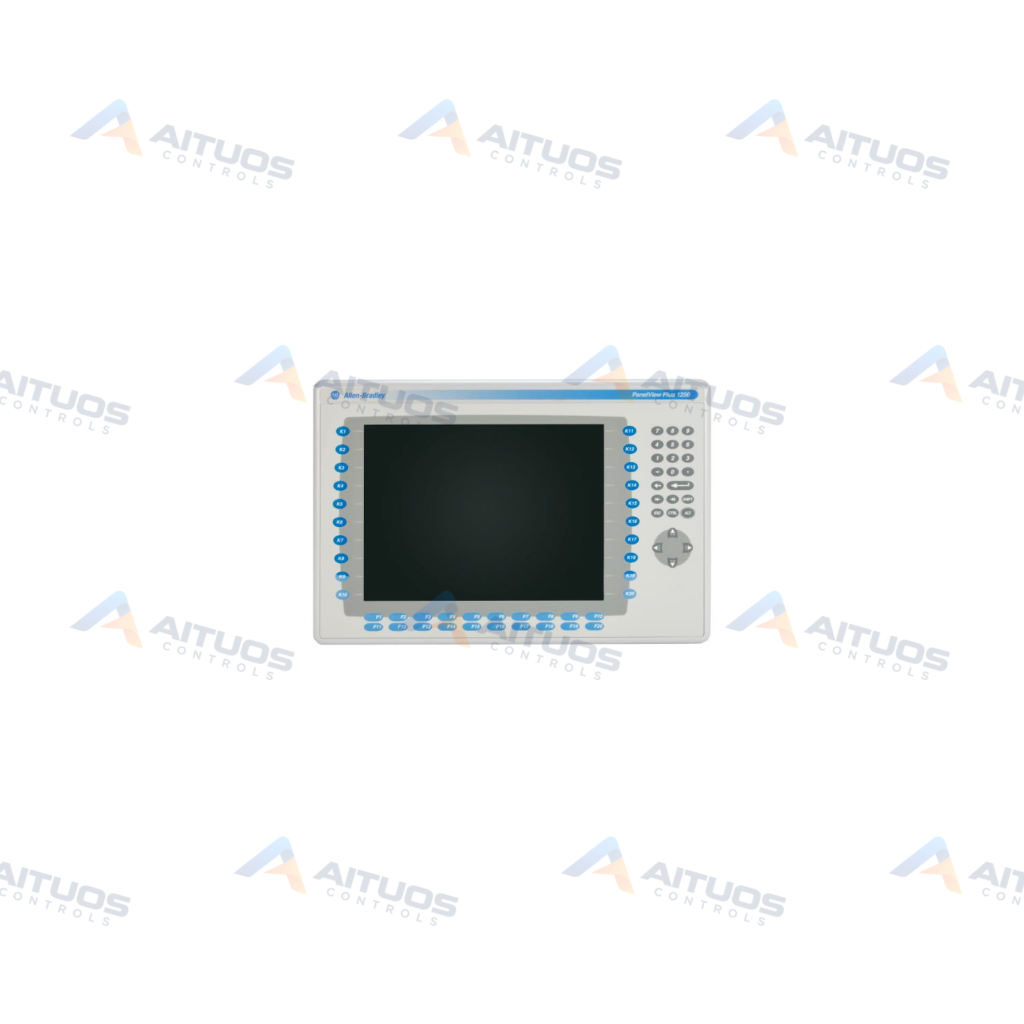
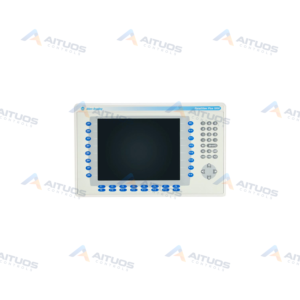
The Allen-Bradley 2711P-B12C15A2 is a PanelView Plus 1250 Key/Touch Screen terminal. It features a 12.1-inch full-color display with both touchscreen and keypad input. This operator terminal operates on an input power supply of 85 to 264 Volts AC. It includes integrated ControlNet communication for plant network connectivity. The unit provides 128 megabytes of internal system memory.
Standard operator elements include push buttons, numeric displays, indicators, and alphanumeric entry fields. Two USB ports support external connection of a keyboard and mouse. A CompactFlash slot enables data logging, file transfers, and system upgrades. Virtual Network Computing allows authorized users to access the terminal remotely. A conformal coating protects internal circuitry during operation in harsh environments.
TECHNICAL DATA
Technical Specifications
| Parameter | Specification |
|---|
| Category | Panelviews |
|---|
| Product Line | Panelview Plus 1250 |
|---|
| Weight | 32.06 lbs (14.54 kg) |
|---|
| Display Size | 12.1 inches |
|---|
| Input Type | Touchscreen and Keypad |
|---|
| Display Type | Full Color |
|---|
| Communication | ControlNet |
|---|
| Input Power | 85-264 Volts AC |
|---|
| Memory | 128 Megabytes |
|---|
| Product Lifecycle Status* | Discontinued/Obsolete |
|---|
TECHNICAL INFORMATION
Features
- 12.1-inch full-color display with dual touchscreen and keypad input options.
- Built-in ControlNet communication interface for plant control system integration.
- Universal AC power supply accepting 85 to 264 Volts AC.
- Internal memory capacity of 128 megabytes.
- Dual USB ports supporting mouse and keyboard peripherals.
- CompactFlash card slot for file transfers, system upgrades, and log data.
- Conformal coating provides protection in harsh operating environments.
- Virtual Network Computing capability enables remote terminal access.
TECHNICAL INFORMATION
Applications
- Operator visualization and process control on ControlNet automation networks.
- Human-machine interfacing requiring dual keypad and touchscreen data entry.
- Remote machine monitoring using Virtual Network Computing.
TECHNICAL INFORMATION
Connections / Interfaces
- ControlNet port for network communication.
- Two USB ports for keyboard and mouse connection.
- One CompactFlash slot for removable media.
- AC power terminals supporting 85 to 264 Volts AC.
TECHNICAL INFORMATION
Installation Guidelines
- Mount the unit into a panel cutout matching terminal specifications.
- Confirm input power is within 85 to 264 Volts AC before energizing.
- Provide sufficient clearance around the chassis for ventilation.
TECHNICAL INFORMATION
Configuration Guidelines
- Configure application graphic screens using compatible FactoryTalk software.
- Set ControlNet network communication parameters in the terminal setup utility.
- Transfer runtime project files using CompactFlash media or network connections.
TECHNICAL INFORMATION
Compatibility
- Connects to Allen-Bradley control systems over ControlNet networks.
- Supports application projects configured with FactoryTalk software.
TECHNICAL INFORMATION
Lifecycle / Replacement Information
- The Allen-Bradley 2711P-B12C15A2 has reached discontinued and obsolete lifecycle status.
- Manufacturer support for this hardware series has been discontinued.
TECHNICAL RESOURCES
Documentation
COMPATIBILITY
Compatibility & Replacement
COMPATIBLE MODELSConnects to Allen-Bradley control systems over ControlNet networks. Supports application projects configured with FactoryTalk software.
Verify compatibility against the exact Part Number, revision and manufacturer documentation before ordering.
PART VERIFICATION
Before You Order
Industrial automation parts can share similar model names, suffixes and revisions. Confirm the complete manufacturer Part Number before purchase.
01Check Part NumberMatch the complete ordering code on the existing unit.
02Confirm RevisionCheck suffix, hardware or firmware when applicable.
03Send a Label PhotoWe can review a clear label photo when identification is uncertain.
ORDERING PROCESS
From RFQ to Dispatch
1Submit Part Number2Verify Product Identity3Confirm Stock & Condition4Issue Quotation5Dispatch & Tracking
PRODUCT FAQ
Frequently Asked Questions
What input options are available on the 2711P-B12C15A2 terminal?
The terminal features both a touchscreen and a full keypad for operator input.
What communication interface does the 2711P-B12C15A2 support?
The unit features a dedicated ControlNet port for communication with control systems.
What input power does the 2711P-B12C15A2 require?
The terminal operates on an input voltage range of 85 to 264 Volts AC.
What software is used to configure the 2711P-B12C15A2?
The terminal uses FactoryTalk software for developing and running operator interface applications.