PRODUCT INFORMATION
Product Overview
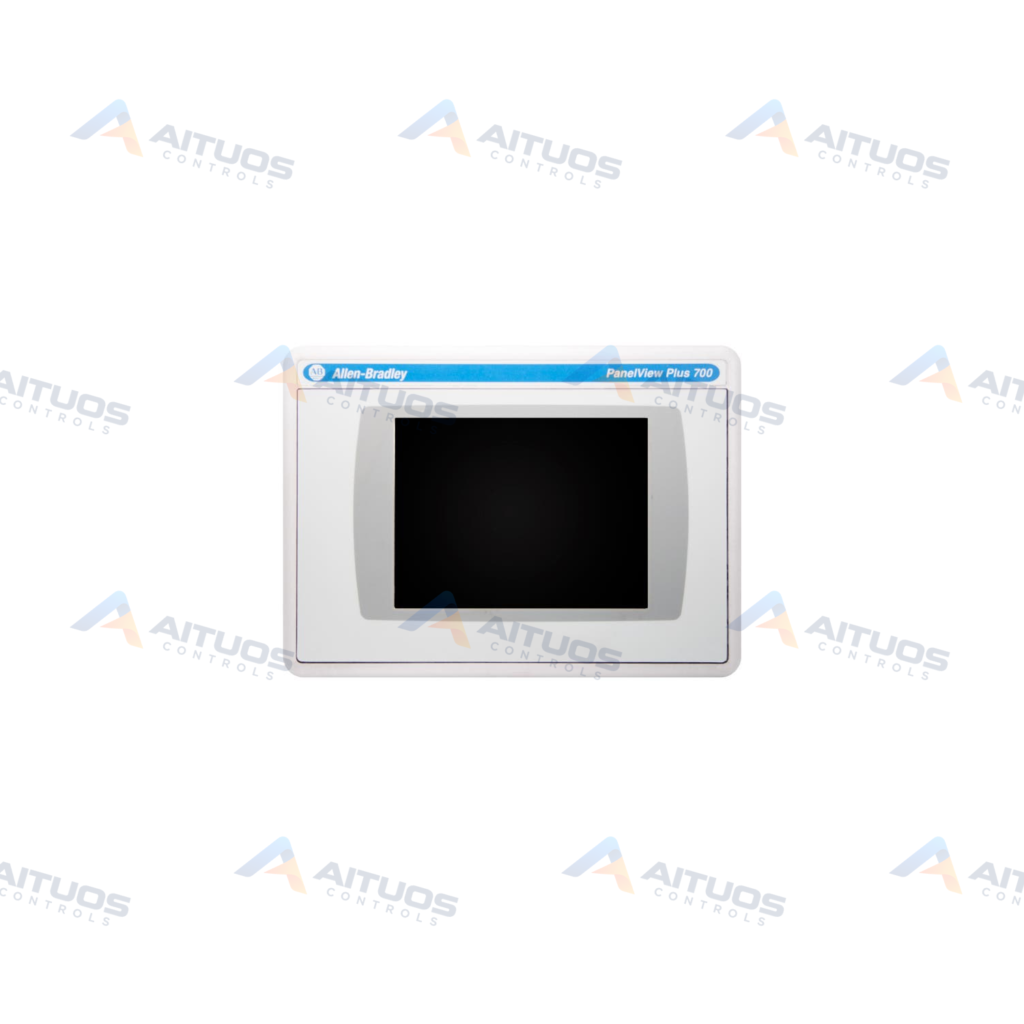
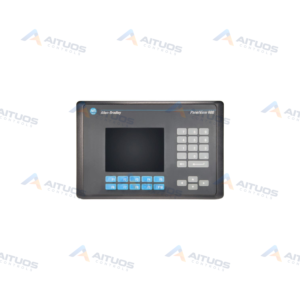
The Allen-Bradley 2711P-T7C15D7 PanelView Plus CE 700 Color Terminal Touch Screen belongs to the PanelView series. This operator terminal enables users to interface with industrial machinery. It monitors active applications and displays machine state information. The unit features a 6.5-inch color display. An analog resistive touchscreen provides precise operator input. The touchscreen actuation is rated for one million presses. The required operating force is 340 grams or less.
This terminal operates on an input voltage range of 18 to 32 VDC. Nominal operation is 24 VDC. The hardware includes 256 MB of internal memory. It runs FactoryTalk View Machine Edition software. Built-in tools include Microsoft File Viewer and Remote Desktop Connection. Communication options feature ControlNet, Ethernet, and RS-232 serial ports. Two USB ports support peripheral device connections. Users can replace the display backlight using part number 2711P-RL7C2.
TECHNICAL DATA
Technical Specifications
| Parameter | Specification |
|---|
| Category | Panelviews |
|---|
| Product Line | Panelview Plus 700 |
|---|
| Weight | 32.00 lbs (14.51 kg) |
|---|
| Display Size | 6.5 in. |
|---|
| Display Color | Color |
|---|
| Input Type | Touchscreen |
|---|
| Communication | ControlNet |
|---|
| Input Power | 18-32 VDC |
|---|
| Memory | 256 MB |
|---|
| Backlight | 2711P-RL7C2 |
|---|
| Communication Cable | 1747-KFC15A |
|---|
| Product Lifecycle Status* | Discontinued/Obsolete |
|---|
TECHNICAL INFORMATION
Features
- Features a 6.5-inch color display with touchscreen input.
- Analog resistive touchscreen rated for one million actuations.
- Equipped with ControlNet, Ethernet, and RS-232 communication interfaces.
- Includes two USB ports for peripheral connectivity.
- Supports Remote Desktop Connection and Microsoft File Viewer.
- Operates on 18 to 32 VDC power supply input.
- Field-replaceable display backlight module part number 2711P-RL7C2.
TECHNICAL INFORMATION
Applications
- Operator machine interface for manufacturing automation lines.
- Real-time process monitoring in ControlNet industrial networks.
- ControlLogix system monitoring using symbolic CIP addressing.
TECHNICAL INFORMATION
Connections / Interfaces
- ControlNet port supporting scheduled and unscheduled traffic.
- Dedicated Network Access port for local ControlNet connection.
- Standard Ethernet port for local area network integration.
- RS-232 serial communication interface for device connections.
- Two external USB ports for connecting compatible peripherals.
TECHNICAL INFORMATION
Installation Guidelines
- Verify DC power source provides 18 to 32 VDC before connection.
- Mount terminal securely within an appropriate industrial enclosure cutout.
- Support redundant cabling when connecting into ControlNet network topologies.
TECHNICAL INFORMATION
Configuration Guidelines
- Configure graphic applications using FactoryTalk View Machine Edition.
- Use symbolic CIP addressing when communicating with ControlLogix systems.
- Configure network settings locally through terminal setup menus.
TECHNICAL INFORMATION
Compatibility
- Connects to single or multiple controllers on ControlNet.
- Compatible with Allen-Bradley ControlLogix controller architectures.
- Uses communication cable 1747-KFC15A for network connections.
TECHNICAL INFORMATION
Lifecycle / Replacement Information
- The 2711P-T7C15D7 terminal is classified as discontinued by the manufacturer.
- Display backlight maintenance utilizes replacement part 2711P-RL7C2.
TECHNICAL RESOURCES
Documentation
COMPATIBILITY
Compatibility & Replacement
COMPATIBLE MODELSConnects to single or multiple controllers on ControlNet. Compatible with Allen-Bradley ControlLogix controller architectures. Uses communication cable 1747-KFC15A for network connections.
Verify compatibility against the exact Part Number, revision and manufacturer documentation before ordering.
PART VERIFICATION
Before You Order
Industrial automation parts can share similar model names, suffixes and revisions. Confirm the complete manufacturer Part Number before purchase.
01Check Part NumberMatch the complete ordering code on the existing unit.
02Confirm RevisionCheck suffix, hardware or firmware when applicable.
03Send a Label PhotoWe can review a clear label photo when identification is uncertain.
ORDERING PROCESS
From RFQ to Dispatch
1Submit Part Number2Verify Product Identity3Confirm Stock & Condition4Issue Quotation5Dispatch & Tracking
PRODUCT FAQ
Frequently Asked Questions
What is the primary communication protocol for the 2711P-T7C15D7?
The terminal features ControlNet communication. It supports scheduled and unscheduled controller data access. It also includes Ethernet and RS-232 ports.
What are the power supply requirements for this terminal?
The 2711P-T7C15D7 requires an input voltage between 18 and 32 VDC. Nominal operating power is 24 VDC.
Which replacement backlight is compatible with the 2711P-T7C15D7?
The replacement backlight part number for this 6.5-inch terminal is 2711P-RL7C2.
What software is used to develop screens for this operator terminal?
This terminal runs FactoryTalk View Machine Edition for application runtime and configuration.